The challenge
People looking to adopt often search across multiple sites and sift through incomplete information, while many who want to help can’t adopt at all. Existing platforms rarely serve both needs in one place.
“How might we help people find the right pet more easily, while creating meaningful ways to support animals when adoption isn’t an option?”Design question
Research
PawsConnect was a personal concept project, so its direction came from observation: shelter and rescue content, conversations with people in the dog community, and an interest in animal welfare. A few clear patterns shaped the design.
| Observation | Design response |
|---|---|
| Many people want to help animals but cannot commit to adoption | Built a dedicated Care path with walks, visits, and temporary support |
| Stressful shelter settings can hide a dog’s true behavior and personality | Built profiles with behavior, anxiety, and training context, plus community feedback |
| Animals are often euthanized for lack of space, not because they are dangerous | Added an urgency status that surfaces time-sensitive cases |
| Basic breed and age details are not enough to judge fit | Created richer profiles designed for confident decisions |
Wireframes
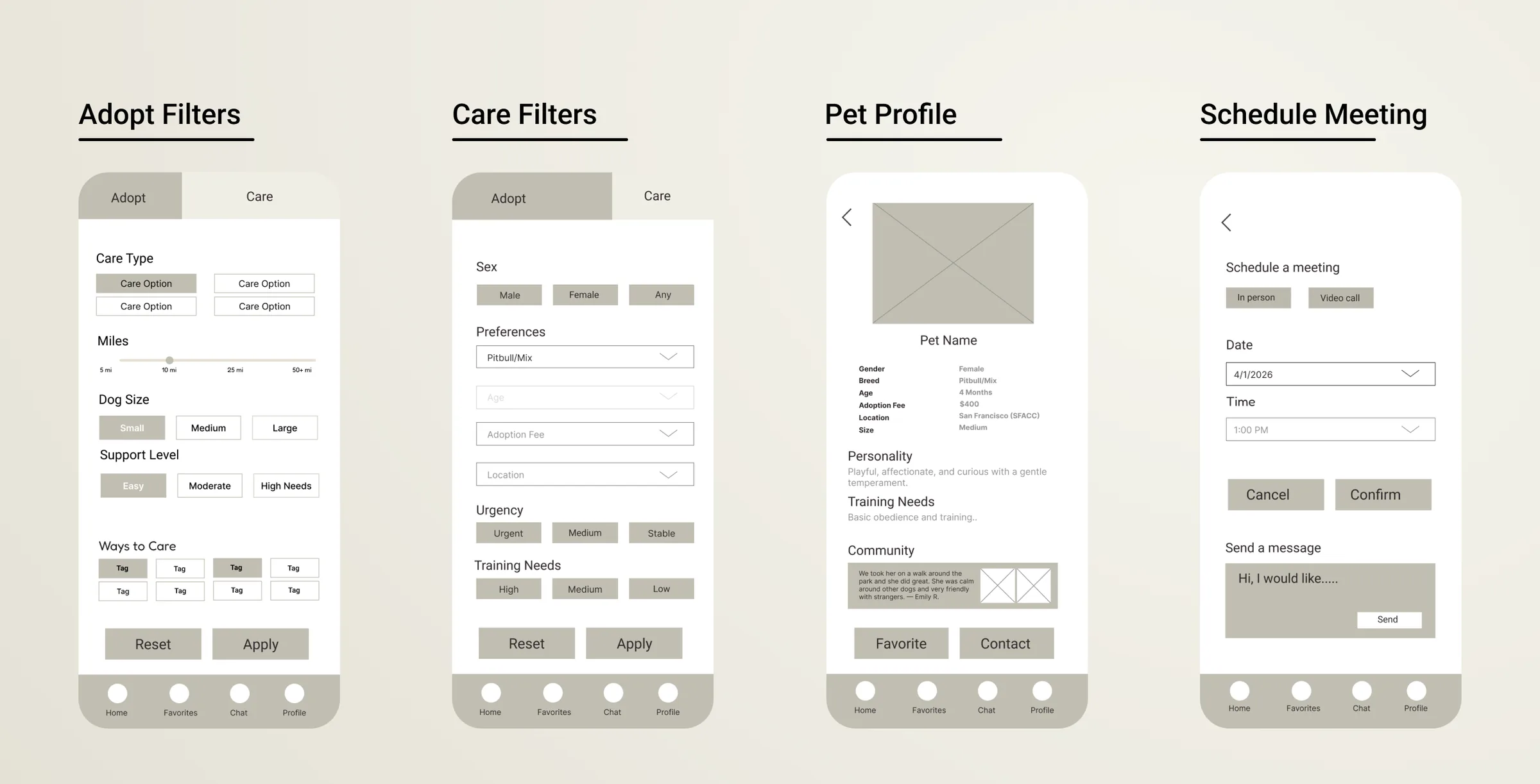
Early low fidelity wireframes were used to explore the core screens for both the adoption and care experiences before moving into visual design. The layouts focused on information hierarchy, navigation, and the relationship between pet discovery, profiles, and scheduling.
 View larger
User flow
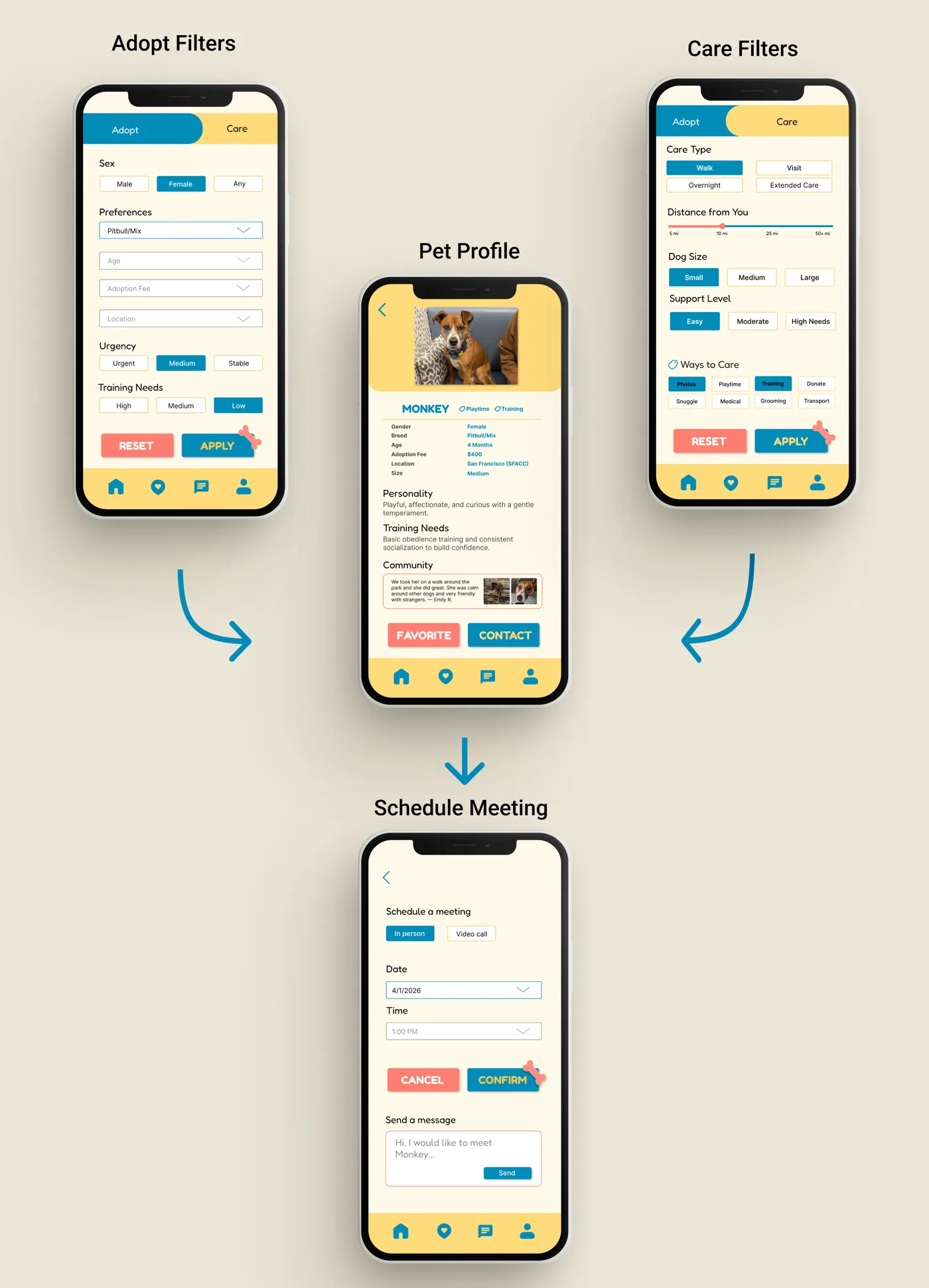
This flow maps the primary paths through the app. Users can browse through either the Adopt or Care experience, view a shared pet profile, and then choose how they want to engage with the animal through adoption or support activities.
 View larger
High fidelity designs
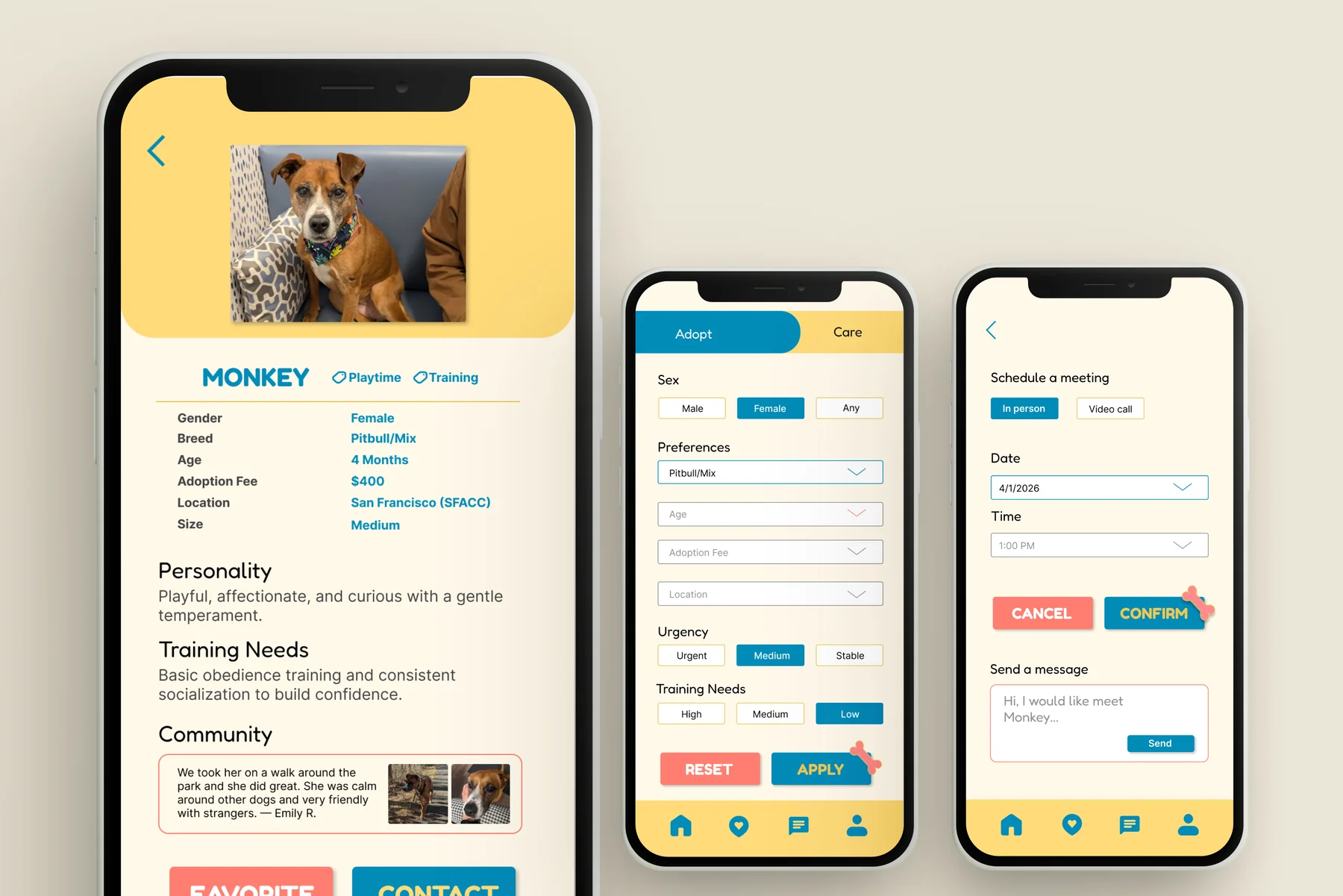
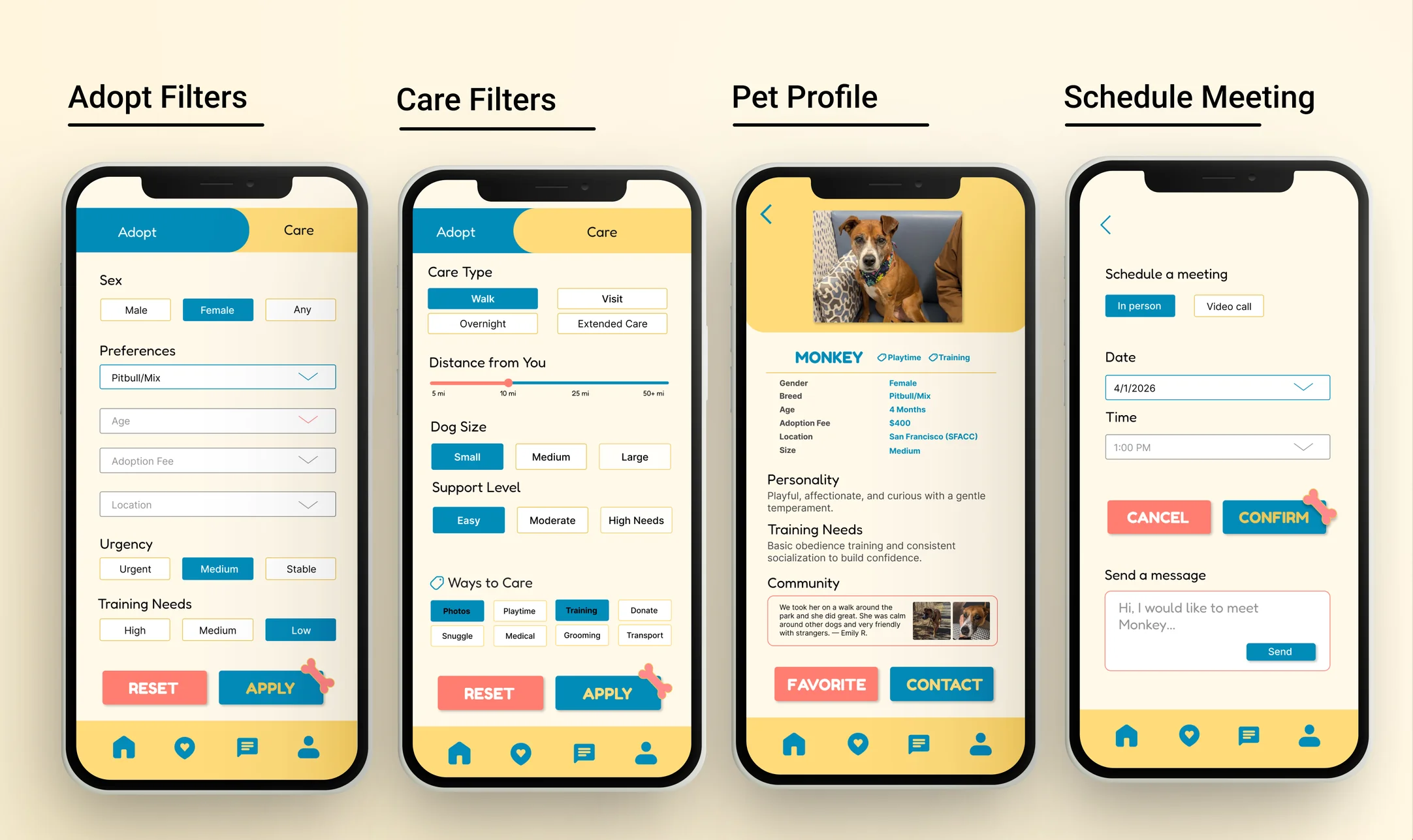
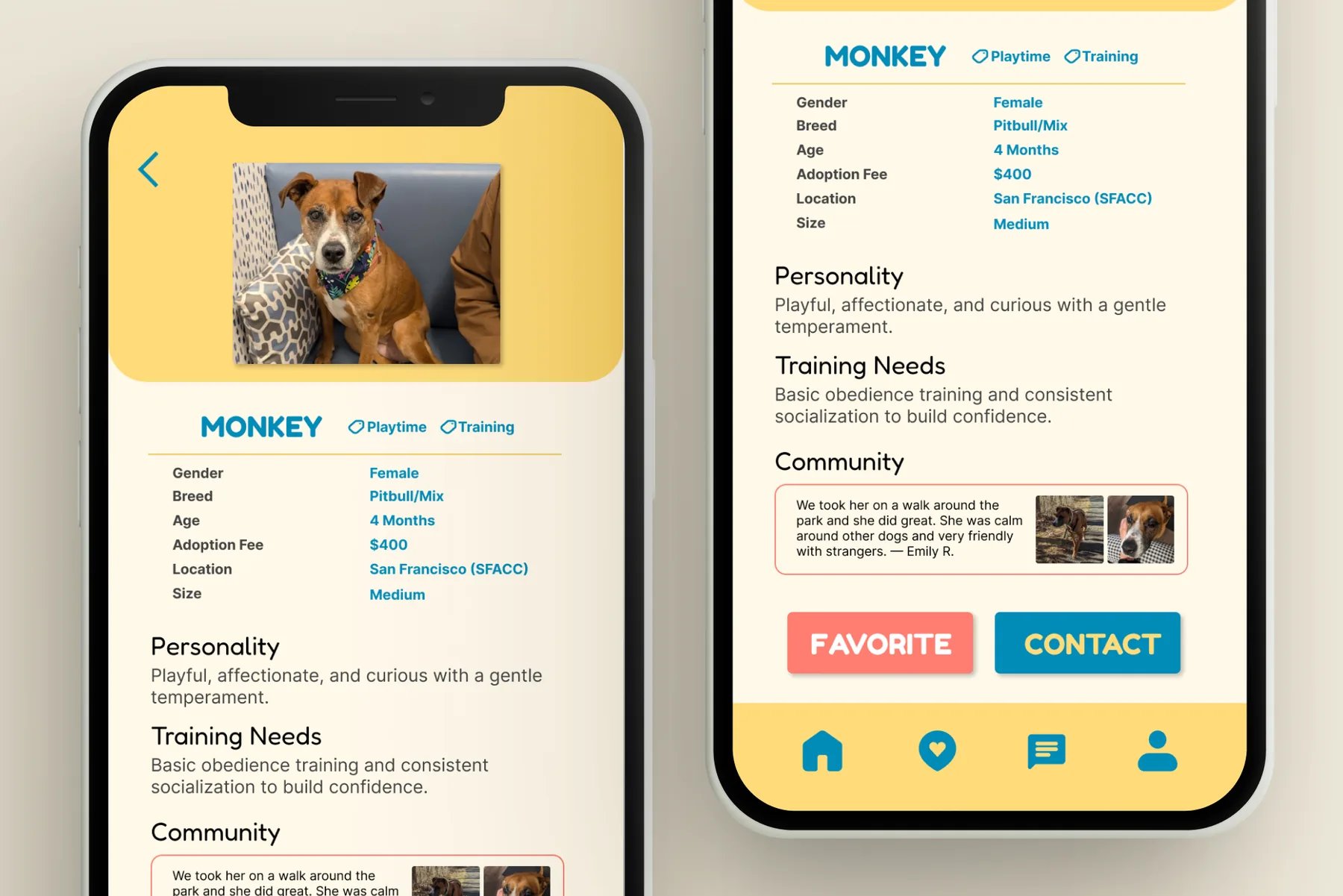
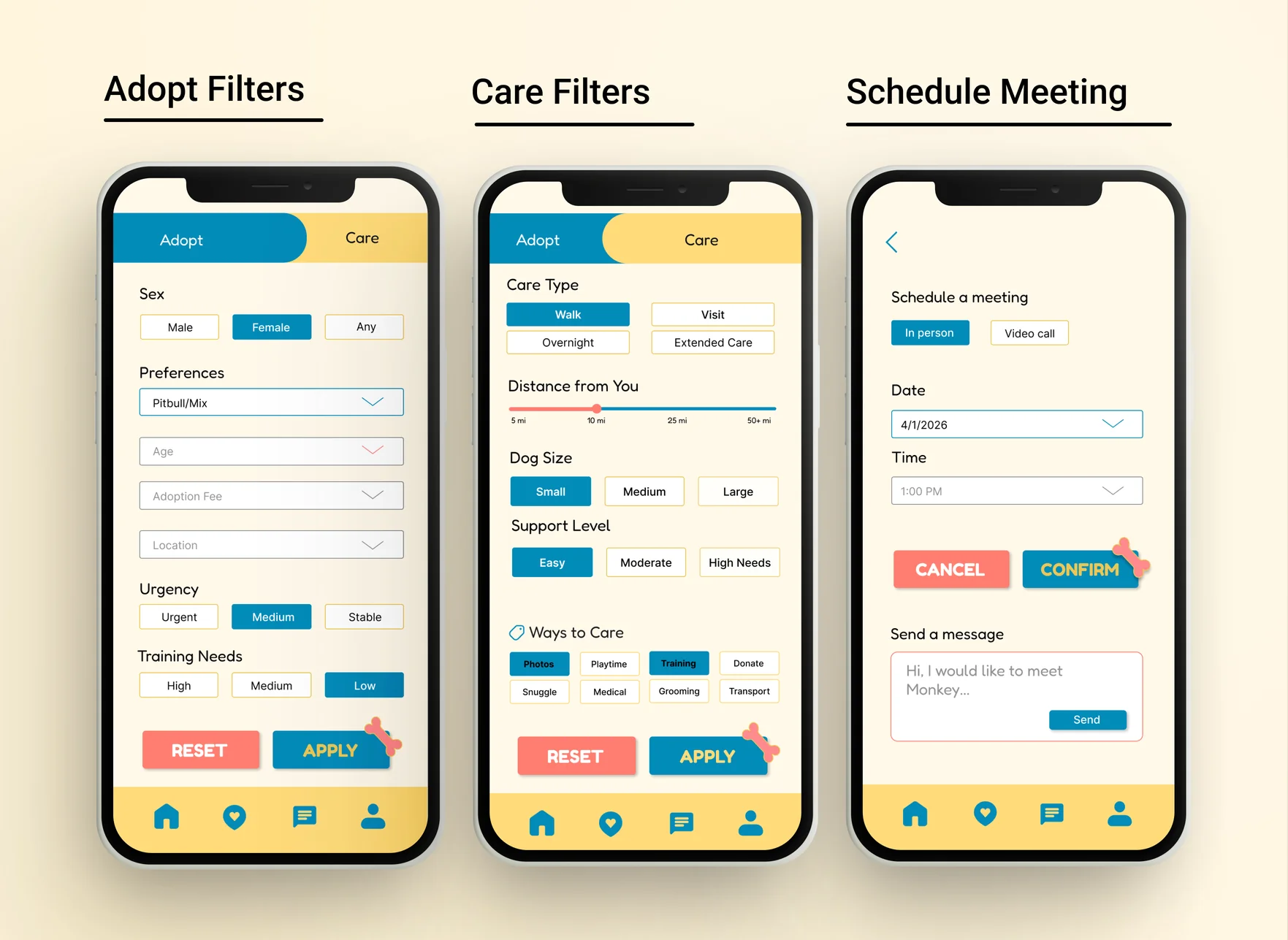
The final designs build on the wireframes to create a complete mobile experience. Adoption and Care share the same navigation, pet profile, and scheduling flow while supporting different user goals.
 View larger
 View larger
Beyond adoption
Most adoption platforms focus on finding homes for animals. PawsConnect also supports people who want to help but cannot commit to adoption. Through Care mode, users can walk dogs, arrange visits, provide temporary support, or contribute to an animal’s well-being without taking on full-time ownership.
 View larger
Design decisions
Surfacing urgency
Some animals face euthanasia or unsafe conditions and need placement quickly. I added an urgency status to filters and profiles so time-sensitive cases are easier to identify while keeping the presentation informative rather than alarming.
One app, two modes
Supporting adoption and care without creating two separate products was a key challenge. I placed both experiences behind a shared Adopt and Care toggle, allowing users to move between paths while keeping the pet profile as the central source of information.
A profile built for decisions
Adopting a pet is a significant commitment. The profile highlights behavior, training needs, personality traits, community feedback, and urgency information to help users make informed decisions.
Outcomes
PawsConnect resulted in a complete experience for two audiences: people looking to adopt and people looking for other ways to support animals. While the project was not tested with users, it helped explore how a single platform could connect both groups through one shared experience.
What I’d explore next
- Whether urgency indicators help time-sensitive animals receive more attention.
- Whether users easily discover and understand the Care path.
- Whether care activities increase long-term adoption interest.
- How shelters could contribute updates and feedback directly within profiles.
Key learnings
- Designing for multiple user goals within a single product.
- Presenting high-stakes information clearly and responsibly.
- Using a shared profile structure to support multiple user journeys.
- Balancing adoption-focused features with meaningful support options.